Connect Brave Search
Brave Search lets a Task retrieve web pages, news, images, videos and extracted web context. You connect it with an API key from the Brave Search API dashboard.
Create a key
- Create a Brave Search API account and verify your email.
- Review the current plans in the dashboard. Activate the plan for the endpoints your Task needs. Brave requires a credit card for activation, and successful requests can incur usage charges.
- Open API Keys, choose Add API Key, name the key and copy it securely.
The Search plan includes Web Search and LLM Context. News, image and video reads were also verified with a Search-plan key. Suggestions and spellcheck returned 400 OPTION_NOT_IN_PLAN with that key. They require endpoint entitlements beyond the tested plan. Rich suggestions require a paid Autosuggest subscription. Confirm endpoint access and spending limits in Brave before running a Task. See Brave's quickstart and authentication guide.
Add the credential in qbash
- Open Connectors, find Brave Search, and add a credential.
- Enter a name and paste the key into API Key.
- Save it. qbash encrypts the key. Saving validates its format without calling Brave, so it does not confirm that the key or plan works.
- In the Task editor, use Add New → Connectors to add Brave Search and select the saved credential explicitly. A Task cannot use an unselected company credential.
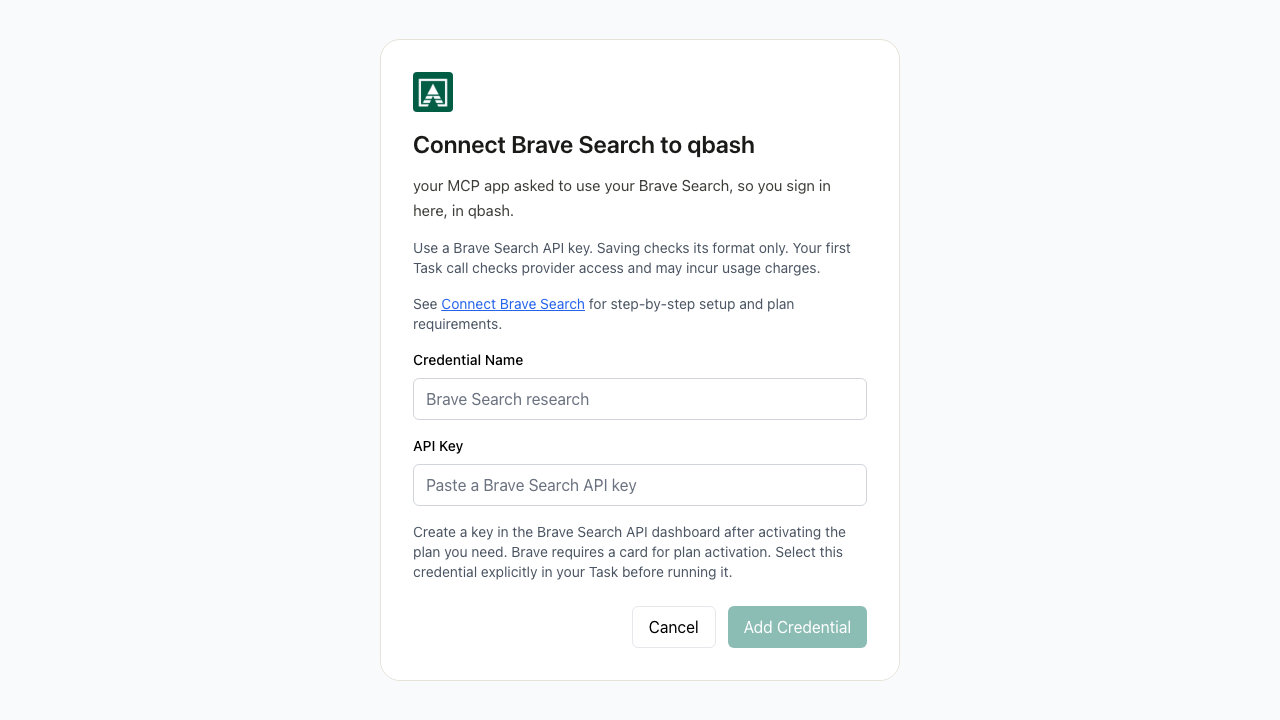
When editing a credential, leave the key blank to retain it. Renaming sends only the name. The first Task request checks provider access and may incur a charge.
Search from a Task
page = qbash.integrations.brave_search.web_search(
    q="Brave Search API documentation", count=5, country="US"
)
for result in page["results"]:
    print(result.get("title"), result.get("url"))
qbash.output(page)
For a small test, select your credential and run this query once. Search needs no private seed data. A successful result can be empty, and live results change over time.
SDK Reference lists web_search, news_search, video_search, image_search, suggest, spellcheck and llm_context with their parameters.
Results and limits
Web, news and video methods return results, query and next_cursor. Pass next_cursor as cursor to fetch another page while keeping the query and count fixed. Cursors are page numbers 0 through 9. Pages may overlap. News and video keep a next cursor for every nonempty page before page 9, even when the page is shorter than requested. An empty page ends pagination. Web search follows its end marker, or treats a full page as a continuation candidate when the marker is absent. A final request can return an empty page. Web search includes web results only.
Images, suggestions and spelling return results and query without pagination. An empty spelling result means Brave suggested no correction. Image search supports up to 200 results, but does not grant rights to reuse images.
llm_context returns grounding and sources. Extracted snippets are available in grounding.generic when Brave supplies them. It does not generate an answer. Content can be incomplete, and search dates reflect Brave's page-age metadata rather than a complete historical archive.
Before retaining search results, confirm that your Brave plan includes storage rights.
Every method makes one request without automatic retries. A 401 reports authentication failure. A 403 reports endpoint or plan access failure and does not by itself mark the credential for reauthorization. A 429 reports a rate or quota limit and includes numeric reset windows when available. Wait for the applicable window before retrying. Review Brave's rate-limit guide.
Answers generation, summarization, Place Search and enrichment, custom Goggles, location headers and streaming are not exposed by this connector. Requests use /res/v1 without a dated Api-Version header, so Brave selects its latest revision.